Puzzle Game Development | Lauren Medved

Puzzle Game Development

Summary

  • Project Name: Elumina

  • Team: Personal project (solo)

  • Tools: Godot, Aseprite, Figma

  • The Inspiration: I was inspired by many games that I enjoyed throughout the years. This project in particular references the concepts of limited movement present in the game called "N Step Steve" and is intended to mimic the art style of many early Nintendo DS games such as "Pokemon Diamond" and "Pokemon Pearl".

Highlighted Skills

Game Design

Pixel Art

Coding

UI Design

The Beginnings

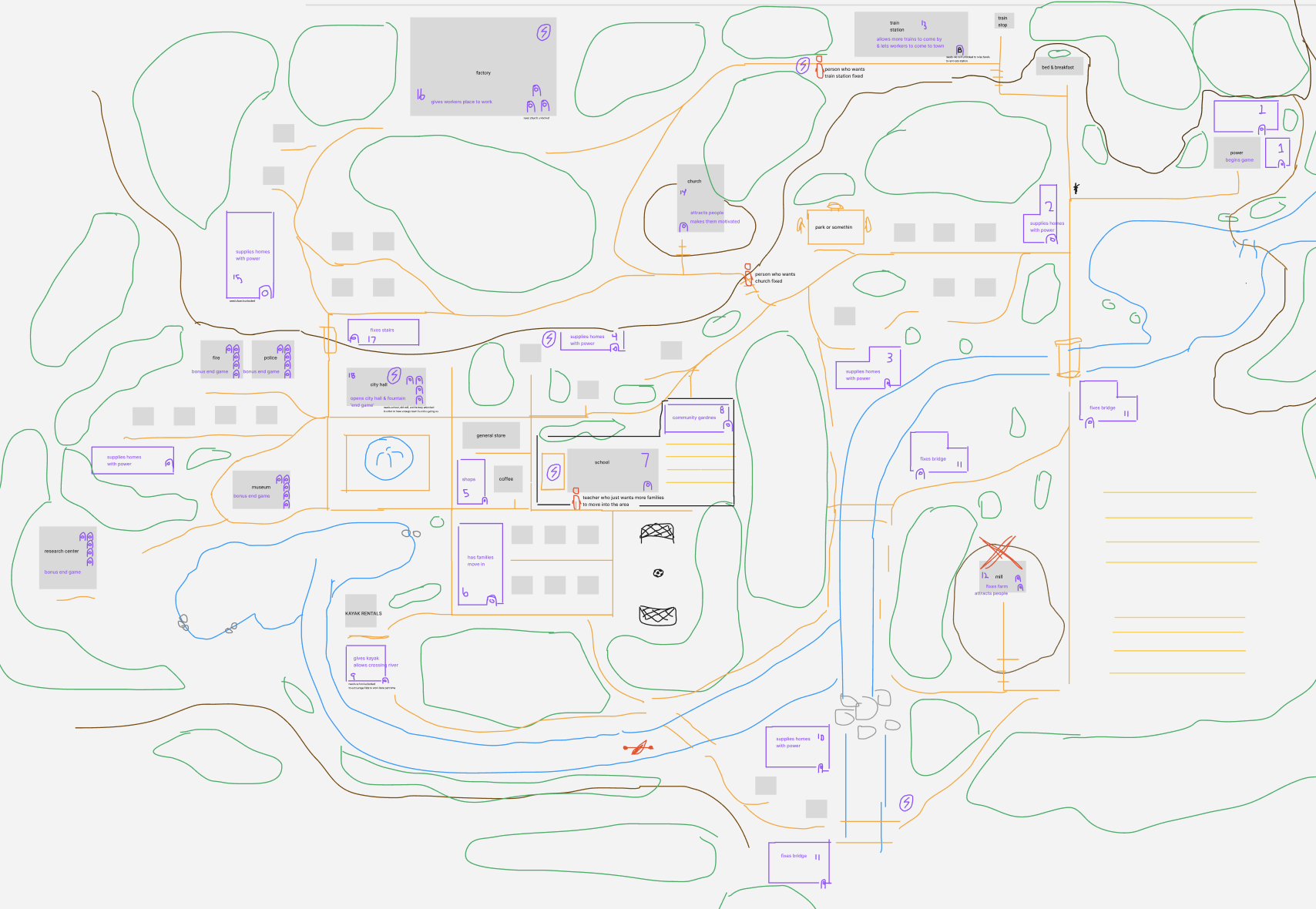
Throughout college I spent time working on several video game passion projects. However, I did not get far on any of them due to losing the vision after getting the basics made and loaded into Godot. To solve that issue, this time around I started out with a full vision and plan before I begun making any art or code. I began level planning and determining what mechanics I wanted for the game and even created a map and planned out how progression would work.

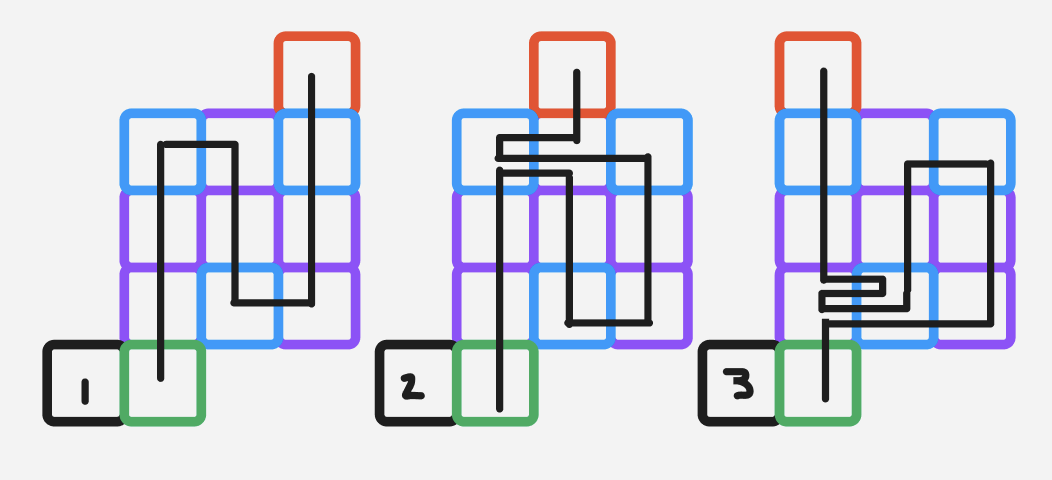
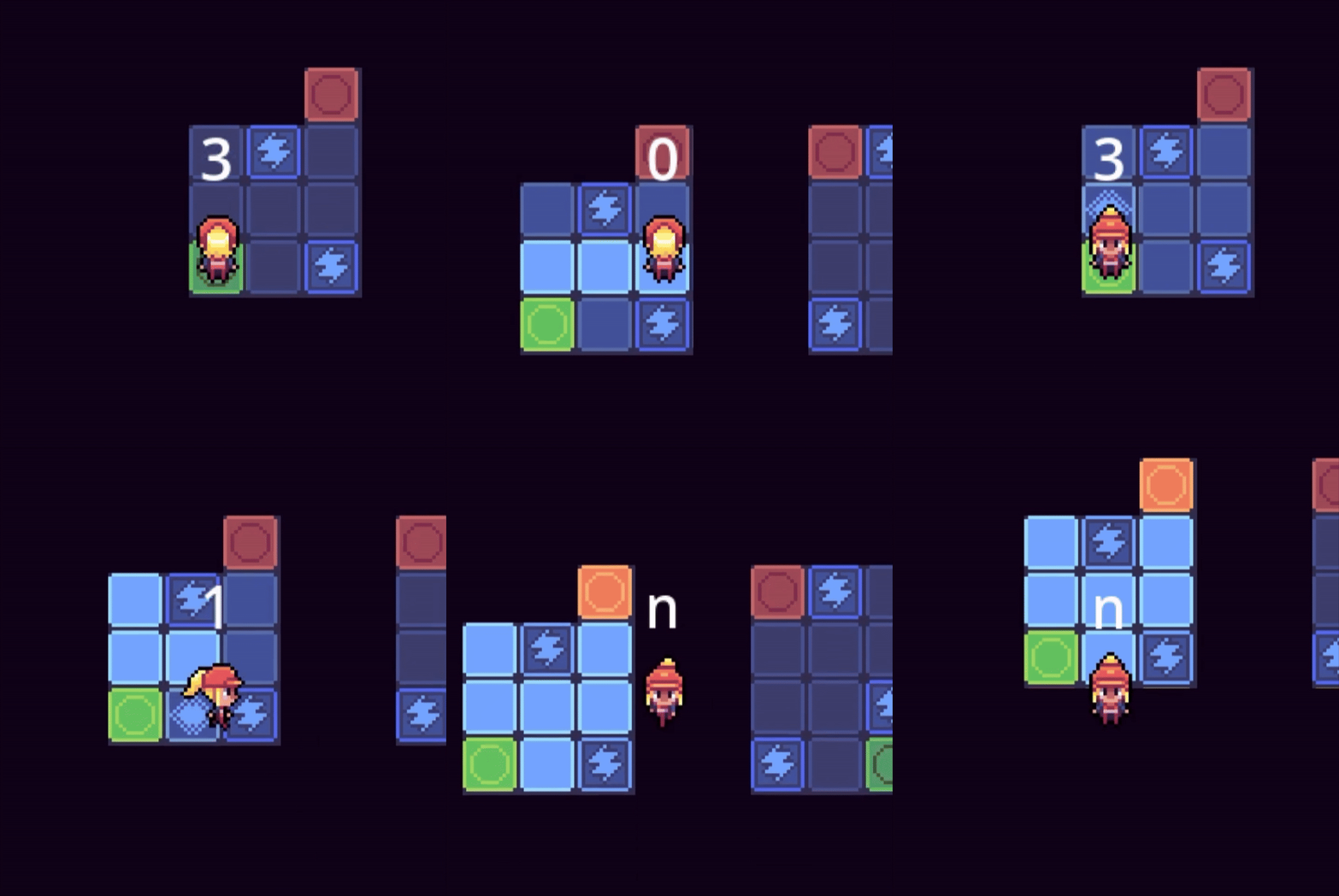
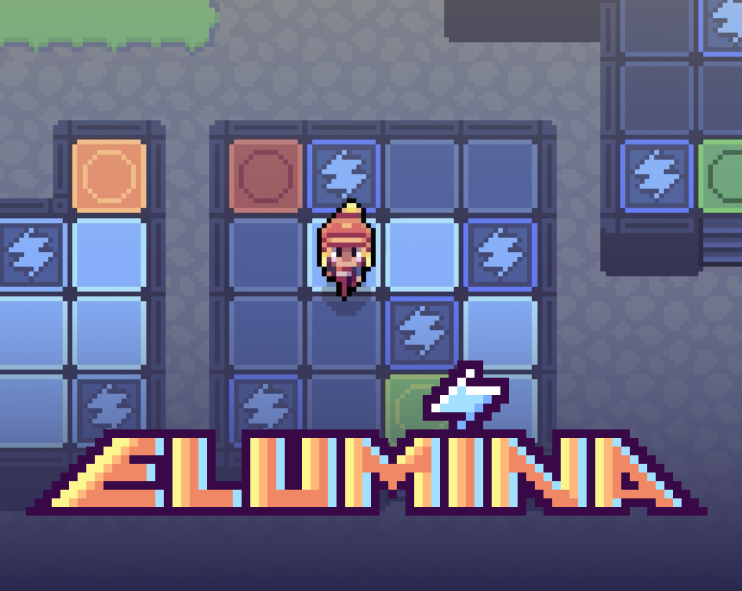
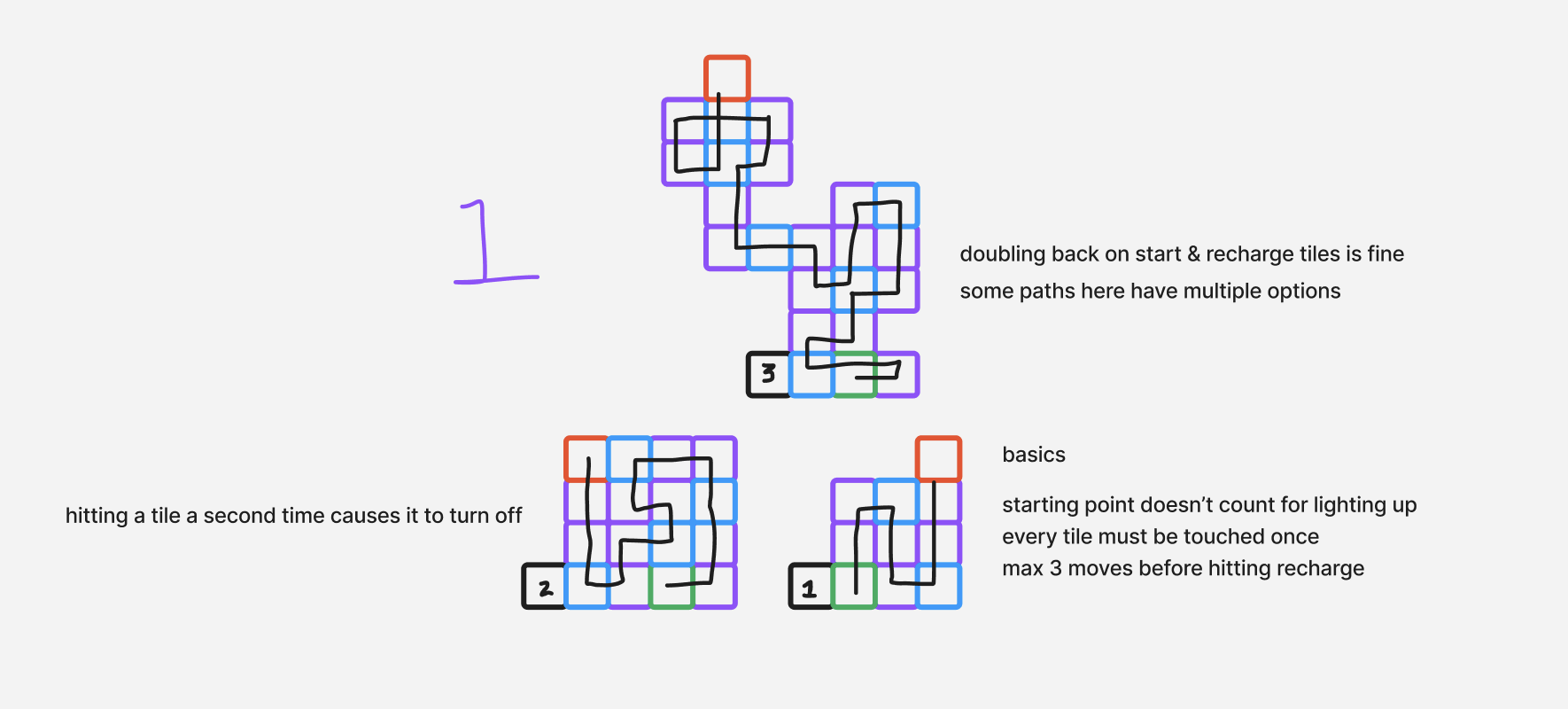
The key concept of the game was that the character was an electrician who would be helping rebuild an abandoned town by hooking up electricity through solving puzzles. The puzzles would be simple on the surface, however the player would have a limited numbers of steps (or energy) to be used to navigate the puzzle. This would make the puzzles have unique solutions and require thought on how to specifically complete. Once completed, the puzzle would be fully lit up and the idea was that electricity would be flowing through. Below are examples of some early puzzle ideas I had created.

Art

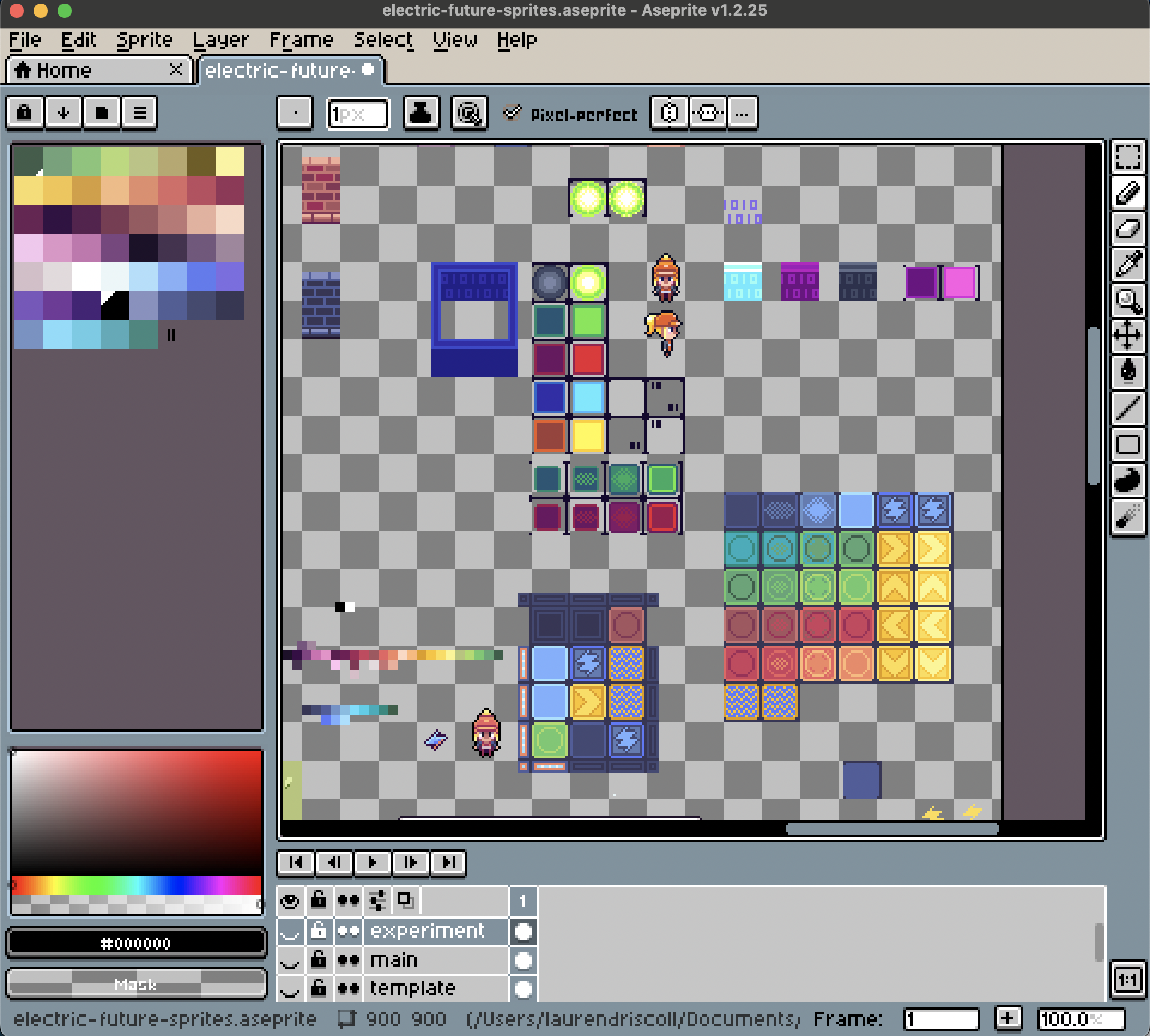
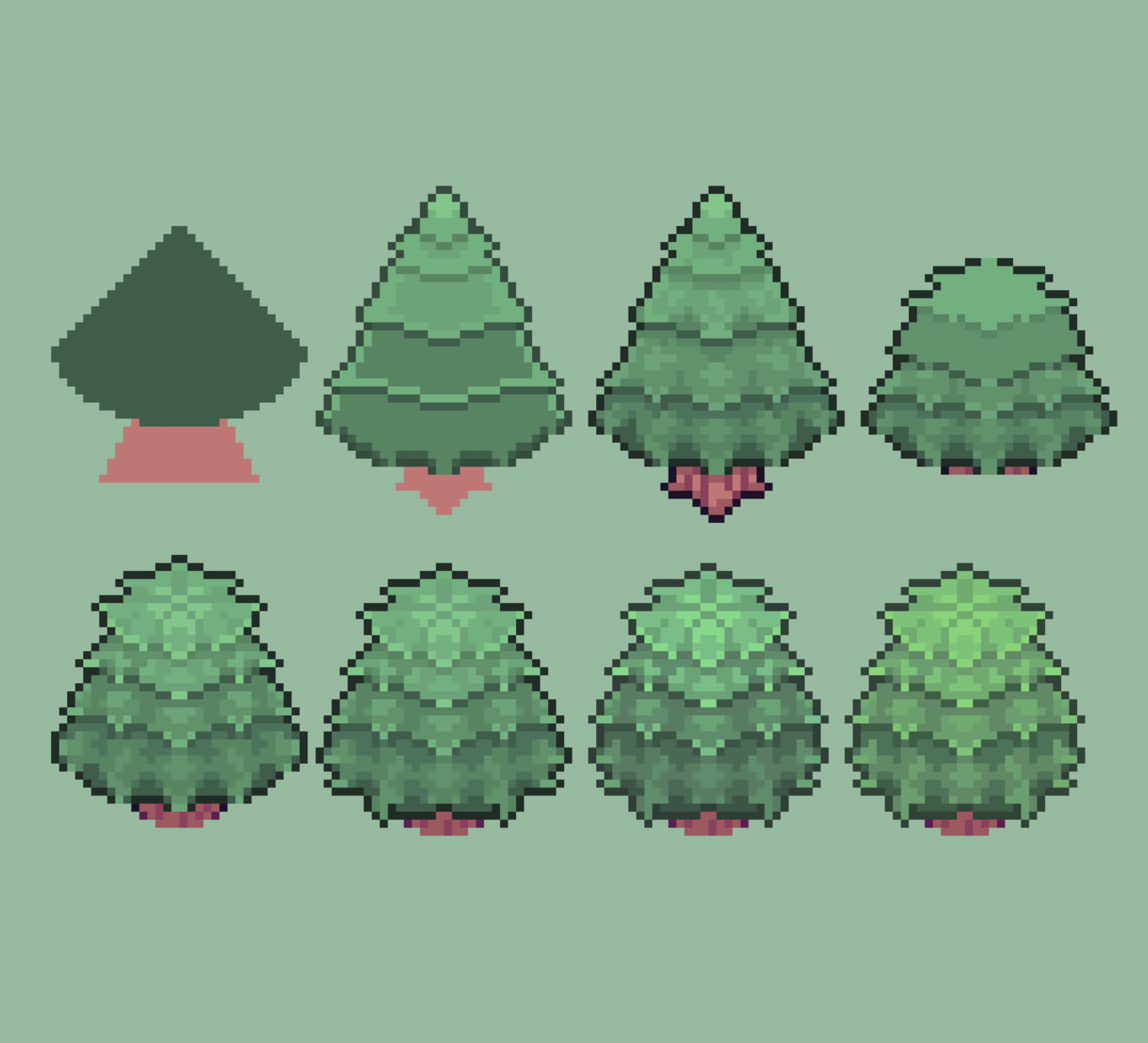
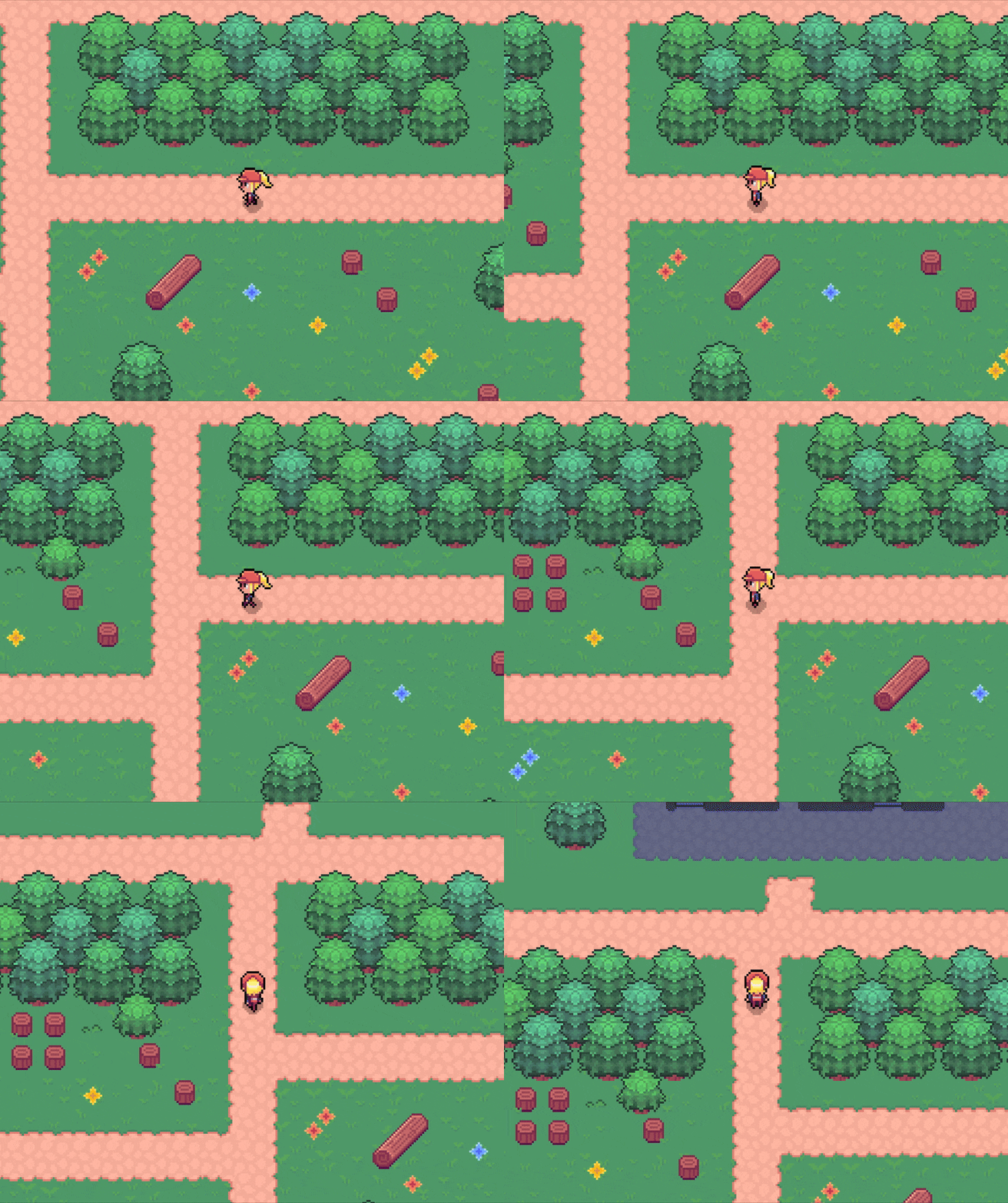
The art I created for this game was inspired by early pixel art games for the Nintendo DS. I used Aseprite, an image editor designed specifically for pixel art, and created assets for character animations, tile sets, world objects, and of course the puzzle blocks.

In Aseprite, I had a sandbox file that I used to create and test out new assets and drag around other objects to make sure everything felt like it belonged in the same environment. Then once I was satisfied with the art, I would break it out into its own file. It took time for me to learn the best practices of pixel art and I made sure to use additional resources to determine how to best color and shade certain objects so that they looked professionally done.
In Development

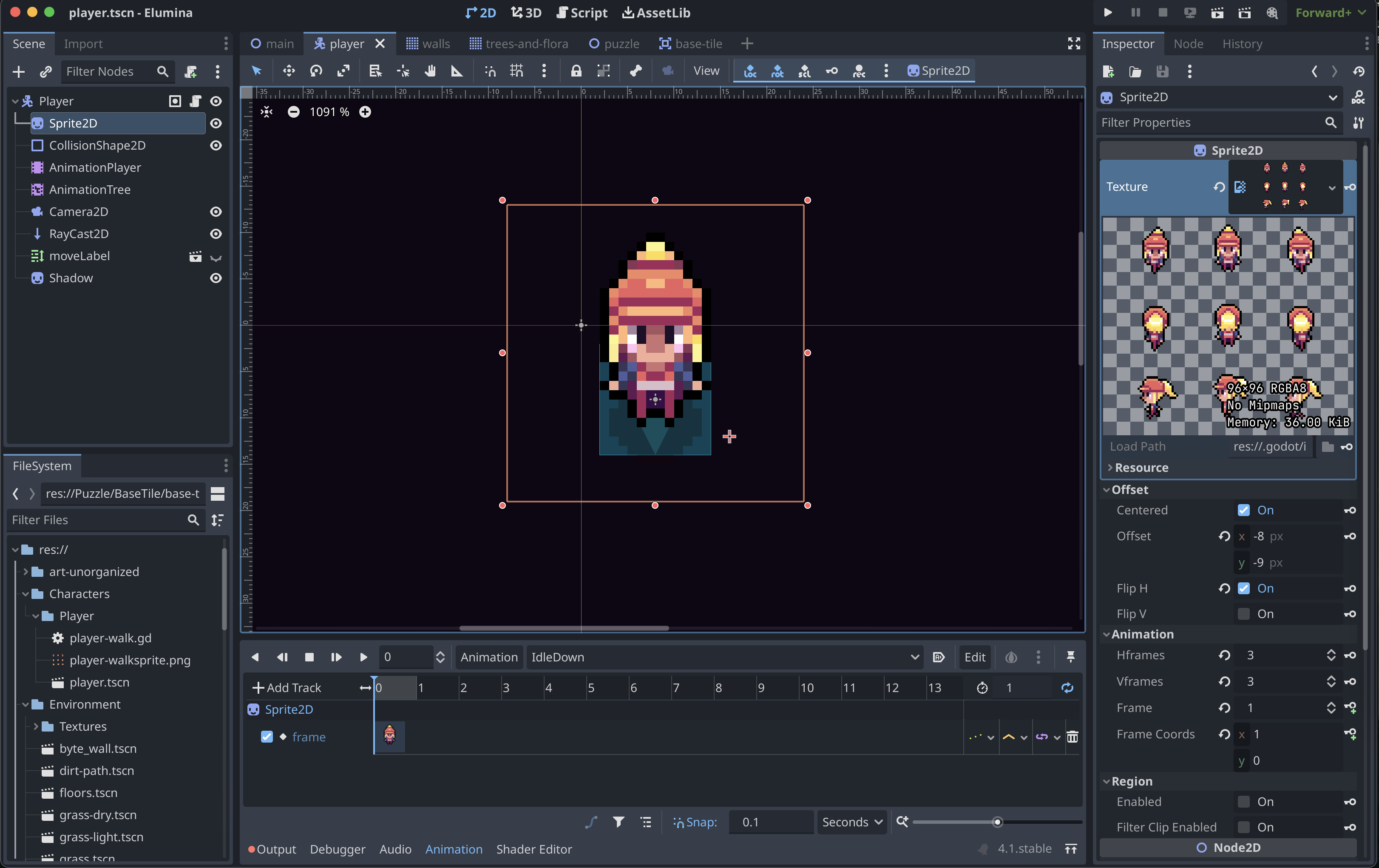
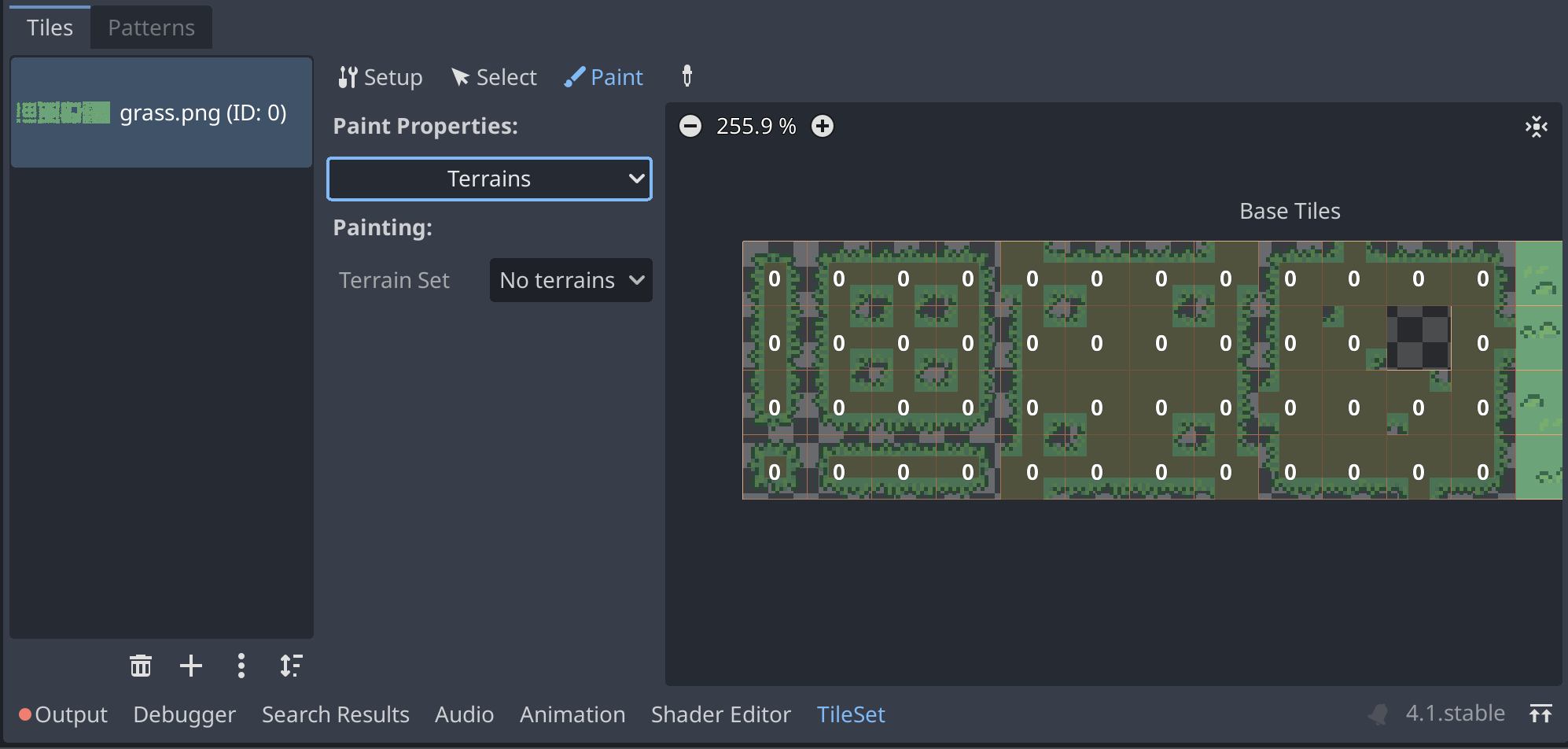
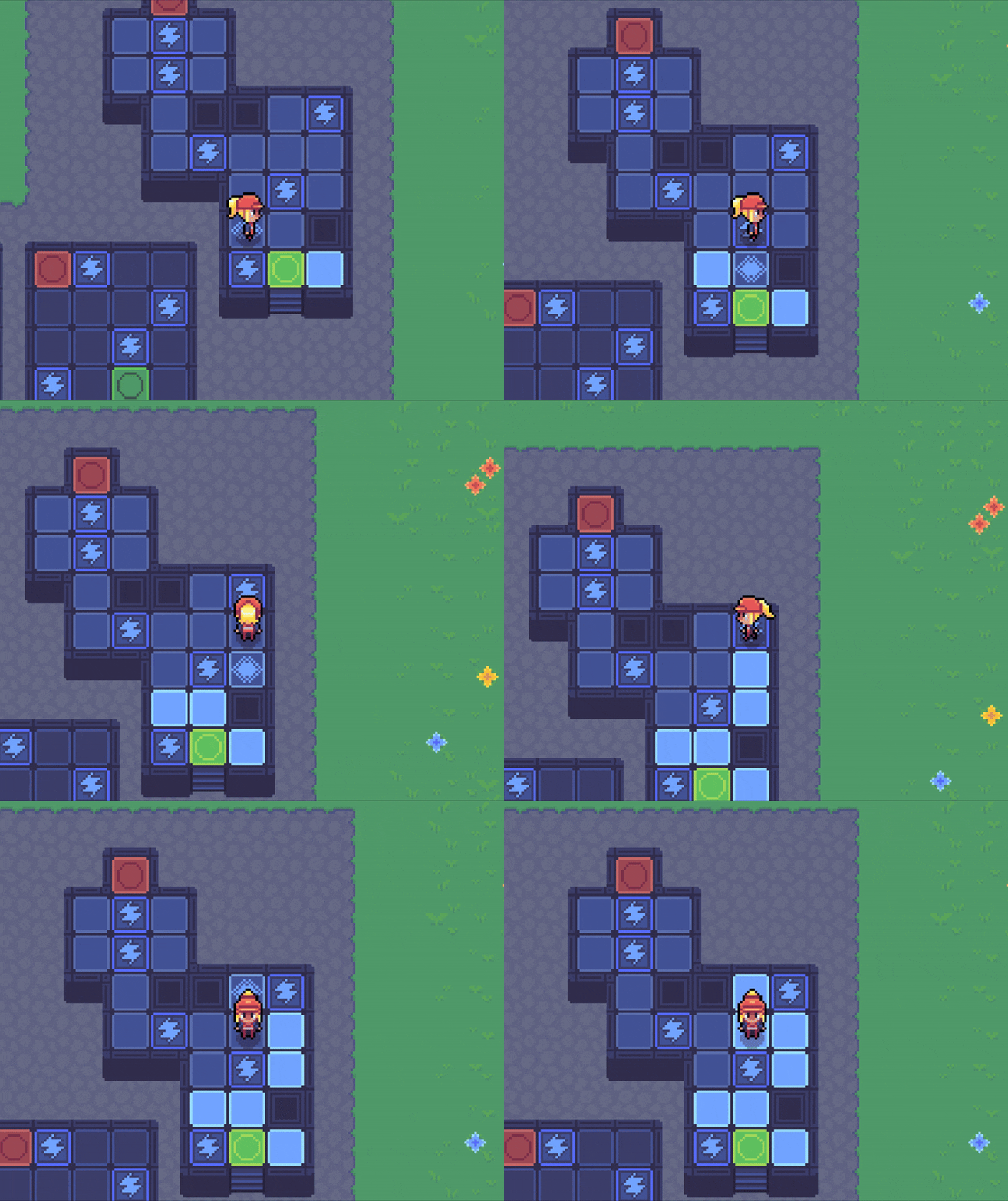
Once I had the art basics done, I began to load my assets into Godot. Below are a few screenshots of how this looked like inside of Godot. I had to make sure my art was saved in the proper layout in order to import it for animations and tilesheets. The most challenging part here was understanding what template to use for the tilemaps that would make up the environment. Eventually, I found a method that worked well and was able to begin creating a world for my game inside of Godot.

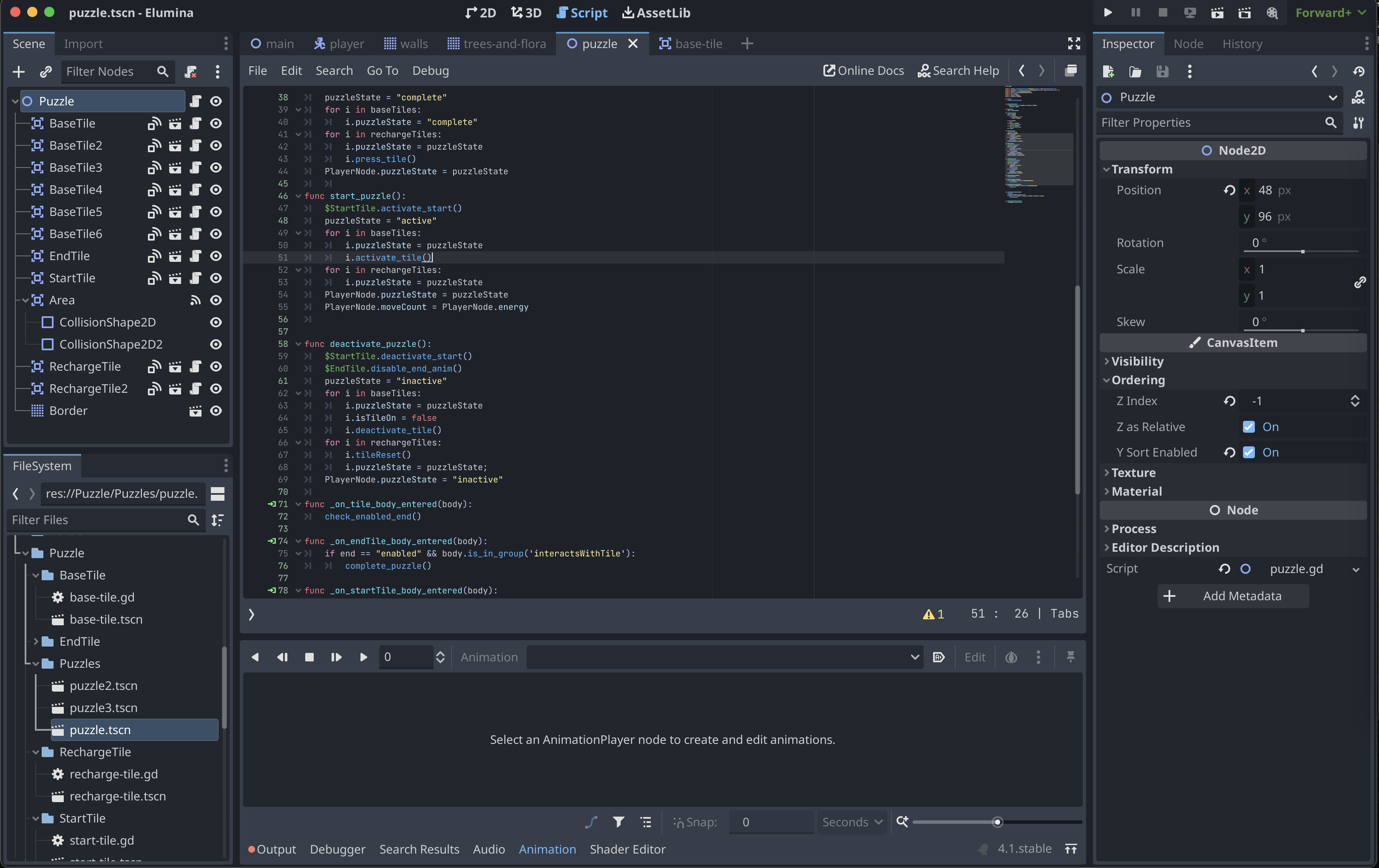
After the art assets were successfully implemented, I began working on programming the character walk script and the logic for the puzzles. I have past experience working with programming languages such as JavaScript and Lua, so picking up GDScript wasn't terribly difficult. It took some time to learn the basics of the language and I did need to follow some tutorials initially for the walk script, however once I got the hang of things I was able to begin programming the puzzles and testing out how my original plans would work.

UI Planning

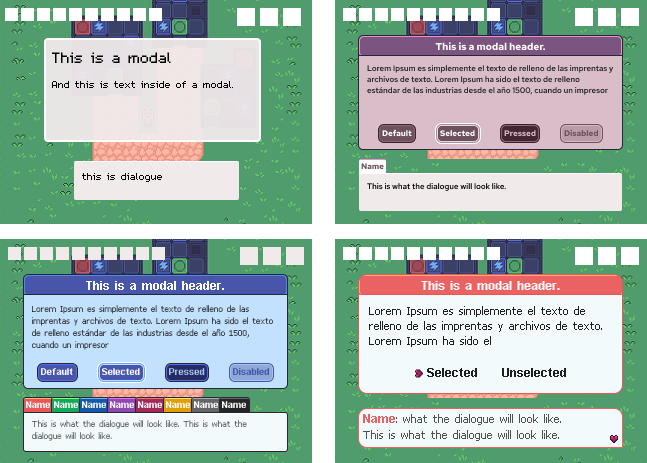
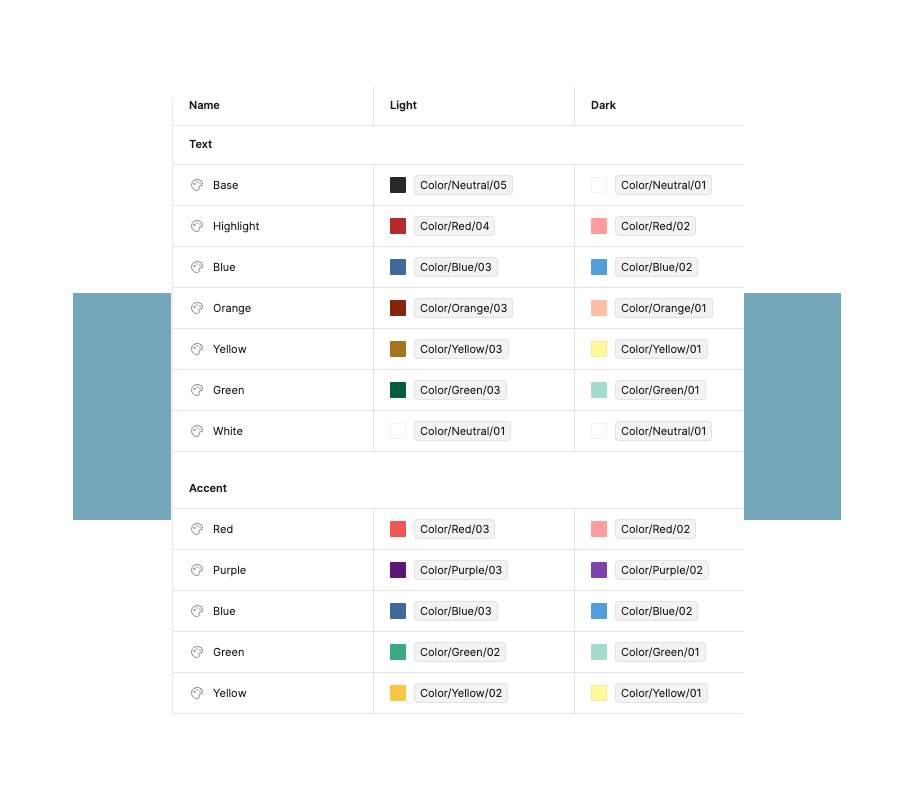
The next part of the project was to begin planning out the UI and how it'd look, feel, and function. This is where I used Figma to lay out screenshots of my game with various elements to see how the UI would look with different placements and colors. During my explorations here I realized how important game UI was to the personality and brand of the game. Originally, I wanted to make the UI feel generally bland and not stand out too much, so as to keep the focus on the rest of the game and character. I realized that this didn't carry the personality of the game that I wanted to convey. Eventually I experimented and landed on UI that brought in the colors from the main character. At this point I decided it was important to determine more branding and style guides for the game.

Current Status

This game is still in development and continues to be a passion project of mine. I often spend time working on it when I have long breaks from my day job, such as during the winter holidays. The next biggest hurdle I will need to face is implementing the UI and godot and programming it to function and animate the way that I envision.

Want to See More?