Figma Design Systems
⬤
Engineering Collaboration
⬤
Applying Accessibility Standards
⬤
Documentation
The final product is unreleased and therefore certain information cannot be shared and/or is redacted from this portfolio. Additionally, this project had been started before our team had a strong footing with performing usability tests. That means there was minimal up front user research done. I understand the circumstances of redesigning a product without user research is not ideal. Therefore, the main focus of this project will be on the design system I created and how I used this system to improve collaboration with our engineering team.
The original product was designed in the early 2000’s before MIM had a design team. Over the years, the company has acknowledged that the product has not been adopted as they had hoped despite the growing demand for cloud solutions. To keep up with the modern era, it was decided in 2022 to redesign the product and I was the designer assigned.
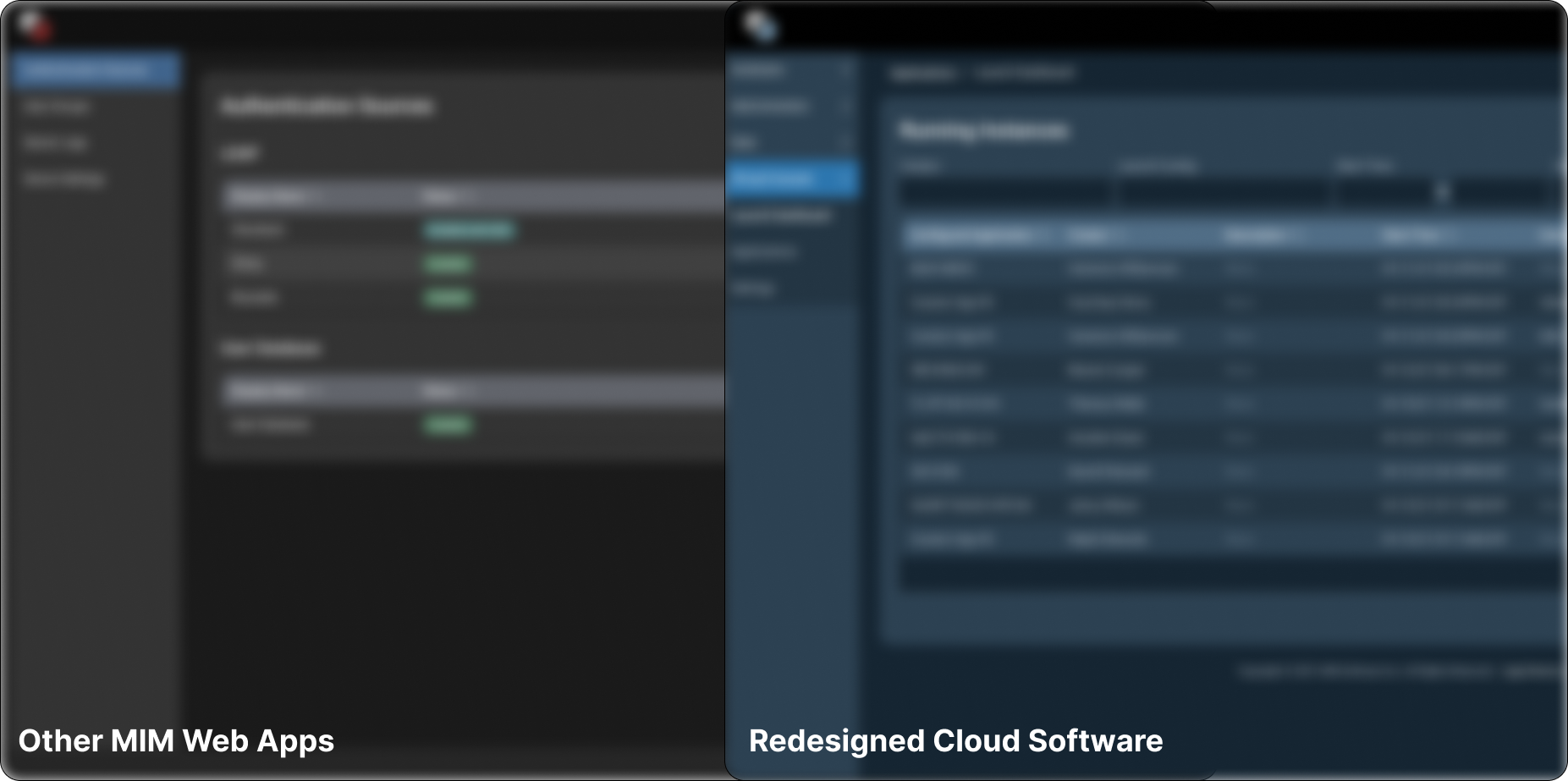
My approach was to align the new design to existing web app products in order to keep the experience consistent for those who use the other company platforms. Additionally, I wanted to be mindful of existing users and not create a drastically different experience that could make them hesitant to continue using the product. So, I decided to keep the branding and color pallet very similar to the original. I worked closely with our marketing team to make sure key brand colors remained the same and then created a color scheme that complimented those hues and could be aligned with the themes of our other web apps.
The biggest challenge was that the backend for this product would be different from other web apps the company has built- therefore a new design system would be needed to accommodate for the different framework. I kept the styles of this new system aligned as closely as possible to our other web apps, however I did make some quality of life updates and made sure to keep in touch with engineering throughout the process to ensure that everything would translate well into development.
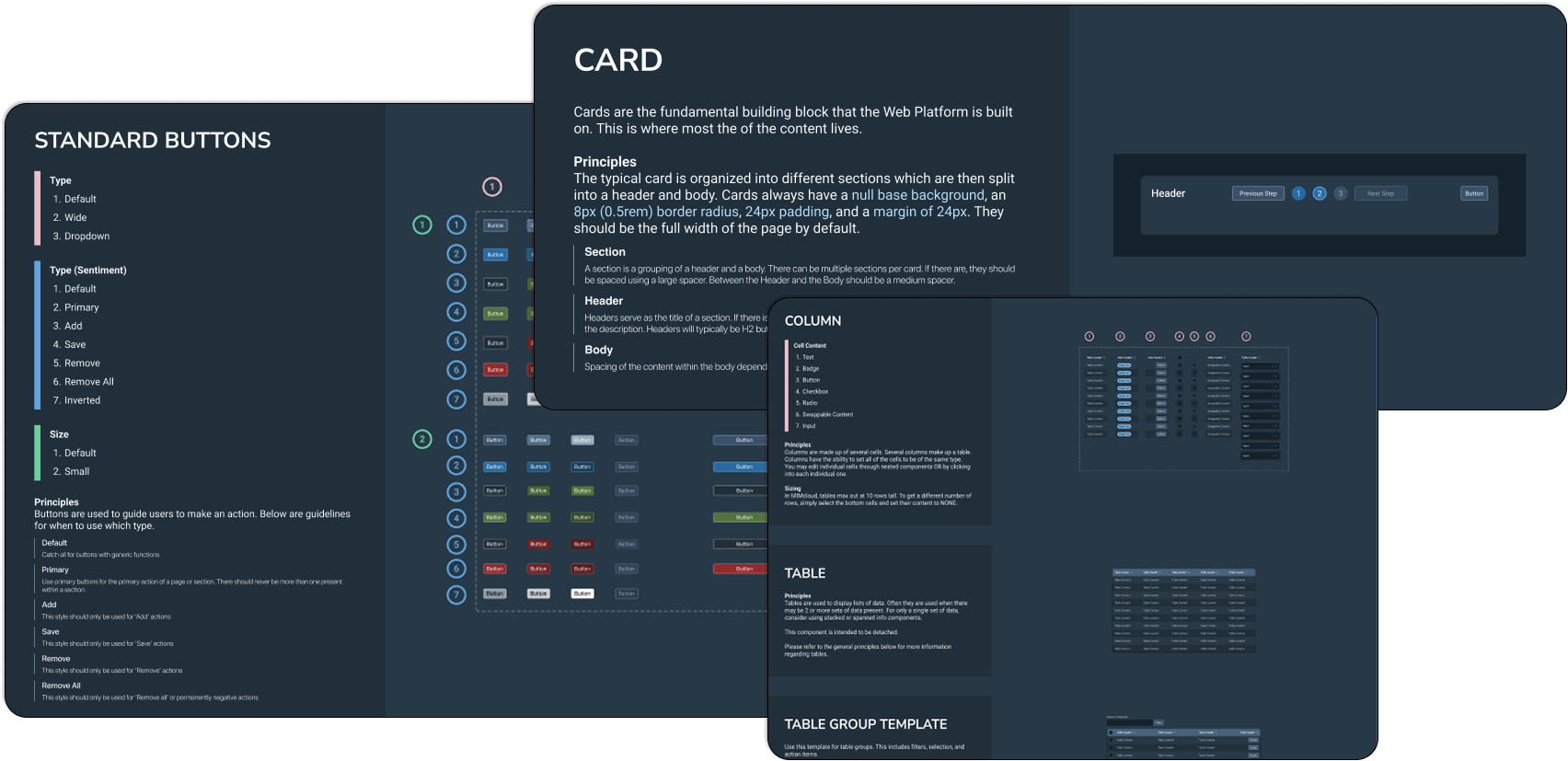
While building the design system, I made sure to write out clear documentation that could be referenced by other designers and the engineers. Later on, once mockups were being built, I would send the engineers to the design system documentation if they needed to learn more specifics such as the spacing standards, color codes, etc. Additionally, I included documentation on the names and language used to refer to each component and style, that way we could have more clear communication when discussing the mockups.
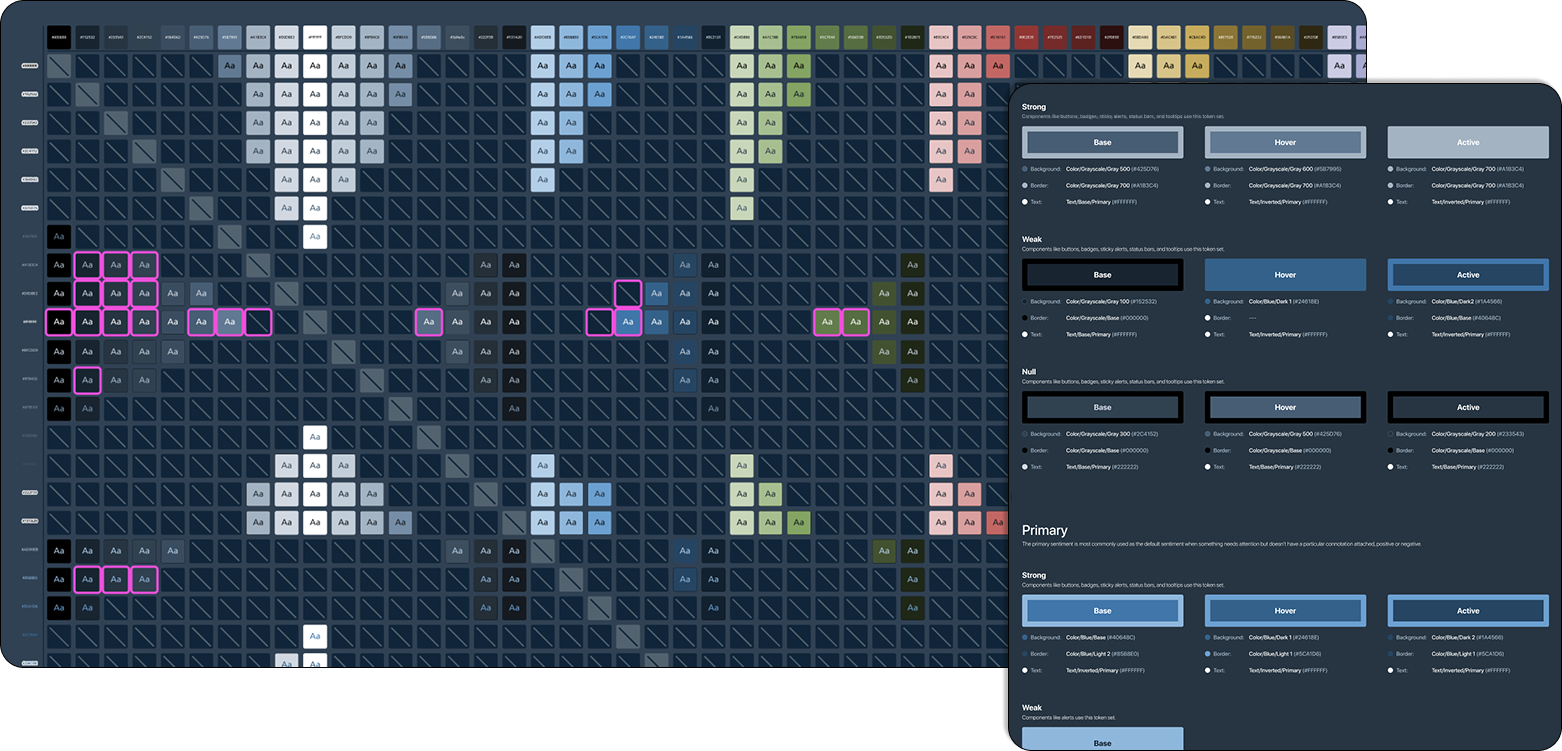
The original color palette used was not well designed for accessibility. To make sure the new design would be in alignment with standards, I performed contrast tests to ensure every color combination used would be within WCAG AAA standards. To do this, I created a Contrast Chart which compared every color in the design system to each other. I used a plugin in Figma to quickly view whether or not the color pair met standards. Then I tracked in the chart which pairs were valid to use and which weren’t. Additionally, the chart tracks which color pairs are actively being used within components in the design system- this is indicated by the magenta outlines in the chart. You may notice that there are some outlier combinations that are not within WCAG AAA contrast standards- these are regularly audited to ensure that the individual use case is still within general guidelines, such as using lower contrast for disabled states or large icons.
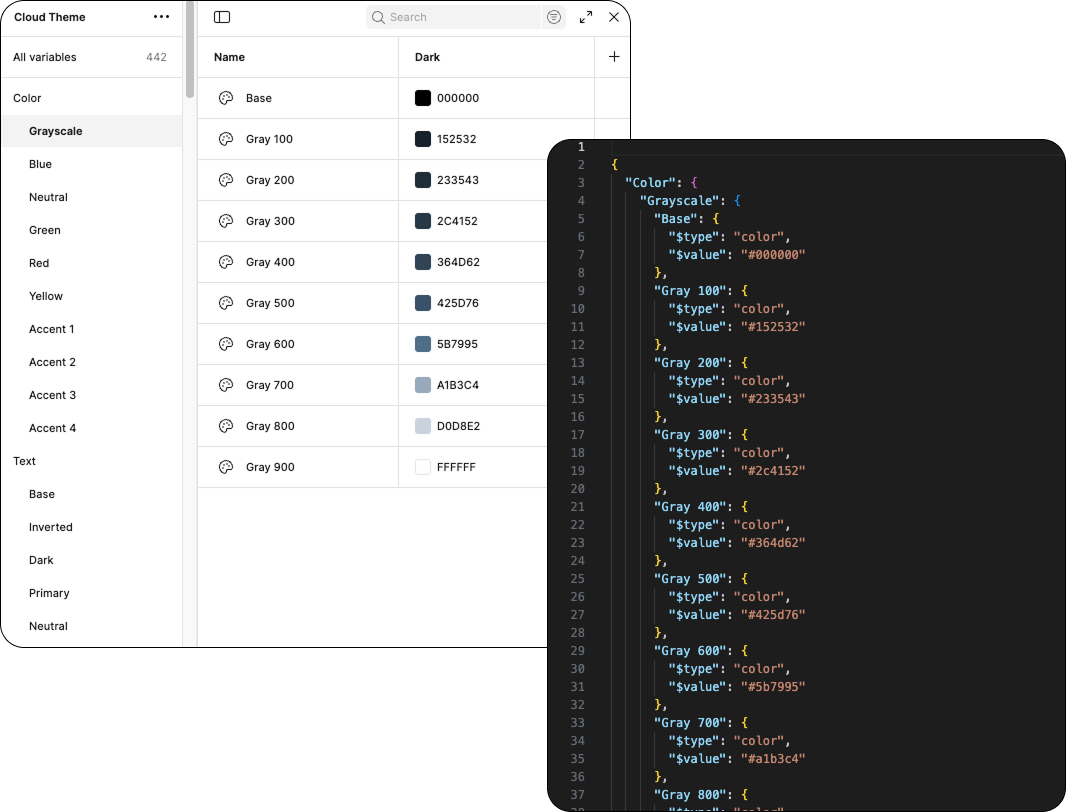
Once the color palette was settled, I created Figma variables to store the colors. Additionally, I created a file to visually document these colors so that non-editors could view and see how the Figma variables were organized.
To make the engineering handoff smooth, I worked on ways to convert our design system styles into JSON files that the engineering team could reference during development. This allowed the engineers to have a single reference point define how everything looked instead of the “traditional” method of manually hard coding every instance when a style was used.
Throughout the early development, some styles needed adjustments (for accessibility and other discovered needs), but the JSON files made handoff extremely easy. I set up a plugin that I downloaded from Github that allowed me to quickly export Figma variables to json files. All I needed to do was ensure the file was up to date with current styles and then pass it along to the engineering team. An engineer would then replace the existing file and the styles would automatically update based on the changes made. This was a huge accomplishment within MIM, since none of our other design systems had been set up to achieve such a streamlined hand off between design and engineering.
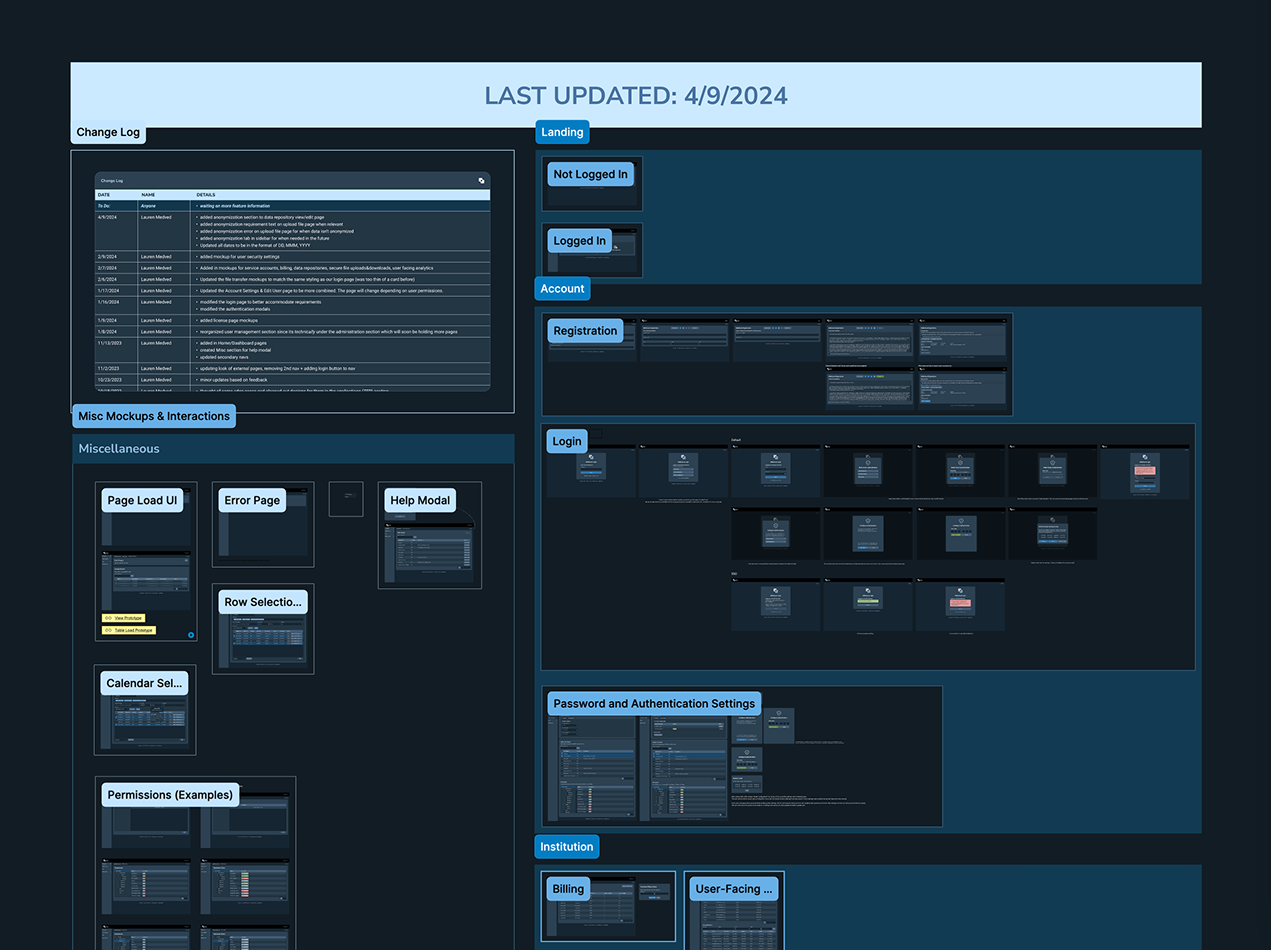
In addition to streamlining the handoff of design system styles, I set up a Master File that hosted all mockups that would be clearly labeled and maintained for engineering to reference. The process that we often followed for this product was that the engineering team would approach me with a set of pages or features that would be next in development. I would then reference how these looked in the current product and then investigate how improvements could be made with the redesign. Mockups would be created and added to the Master File, then I would update the change log and notify engineering when they were ready.
Sometimes, this process wasn’t always so linear. Since I wasn’t fully familiar with all of the features of the existing product, sometimes I would design something one way only to discover it may need to accommodate other uses in the future. As time went on, I got better at asking questions to prevent these surprises after the design was finished. Until then, I would occasionally go back and redesign a page or feature. I would double check with our engineering team that they had the flexibility to accommodate the new design. If they did, it would get updated in the Master File. If they did not, I would create a separate file to hold the design until they were ready to implement it. Everything that was in development would eventually be placed in the Master File, with the eventual plan being to perform a design review with the official product once it is finished with development.
The product is intended to primarily be used on desktop, however there are rare cases were users may use it on mobile. Because of this, mobile styles had to be created and accounted for. This is the first product at MIM to have a mobile design system, so I needed to do independent research on guidelines and standards to ensure that everything was executed well.
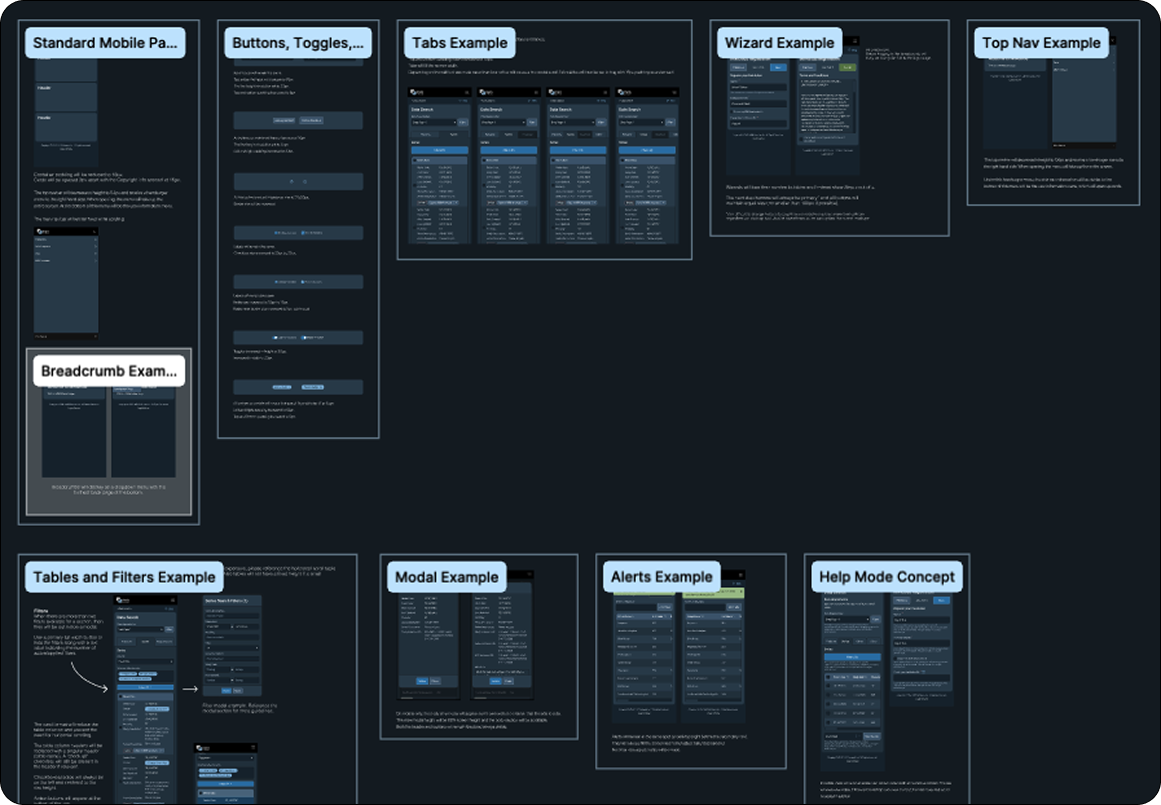
In addition to the design system itself, I create a file documenting common scenarios along with some example mockups that our engineers could visually reference. This allowed us to not need to create both a desktop and mobile mockup for every screen while providing enough guidance for engineering to successfully develop the product.
This product is currently in early adoption and not fully released. While I cannot show final screenshots of the UI, I can happily say that the live product looks nearly exact to the mockups. This was a huge achievement considering how outdated some of our products are and even those more modernized still have design systems that are not well aligned to engineering frameworks. The way the design system was handled for this product has set a new standard in the company.
As of 2025, I am no longer the primary designer on this product due to the way we have reallocated resources on our team (I now focus strictly on radiation oncology products). Because of this, I do not take credit for any future design work done on the product.